Out of your recordings
Windows leaves it out of screen recordings and screen shares. You see your script; your video doesn't.
Unseencue is a teleprompter for creators. It sits right under your webcam so you read while looking into the lens, and it stays out of your screen recordings, so your notes never end up in the video.
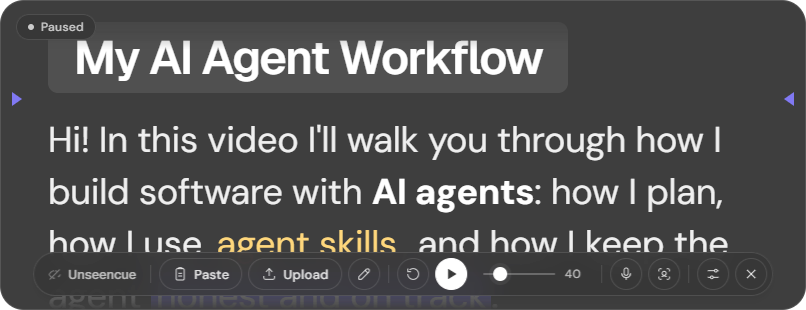
Your script sits a finger's width below the lens, so your eyes stay on the camera.
Narrated, with captions · 1:56
A job application asked me to walk them through my AI-agent workflow: how I plan with agents, how I use agent skills, and how I put it all together to build applications. I wanted to show it for real, on video.
There was a lot to cover. Without a script I'd ramble and skip what mattered. With a script in another window, my eyes left the camera and the script showed up in the recording.
So I built Unseencue: my script sits right under the webcam, keeps me on track, and stays out of the recording. Now anyone making a tutorial, demo or YouTube video can use it too.
Built for creators, presenters and anyone who records or shares their screen.
Windows leaves it out of screen recordings and screen shares. You see your script; your video doesn't.
Top-left, centre or right, or save the exact spot. It opens there every time.
Scrolls while you talk and pauses when you stop. It adapts to your room's noise automatically.
Look away and it waits; look back and it carries on. Face tracking runs on your PC.
Paste your script, type it in, open a .txt or .md file, or drop one on the window.
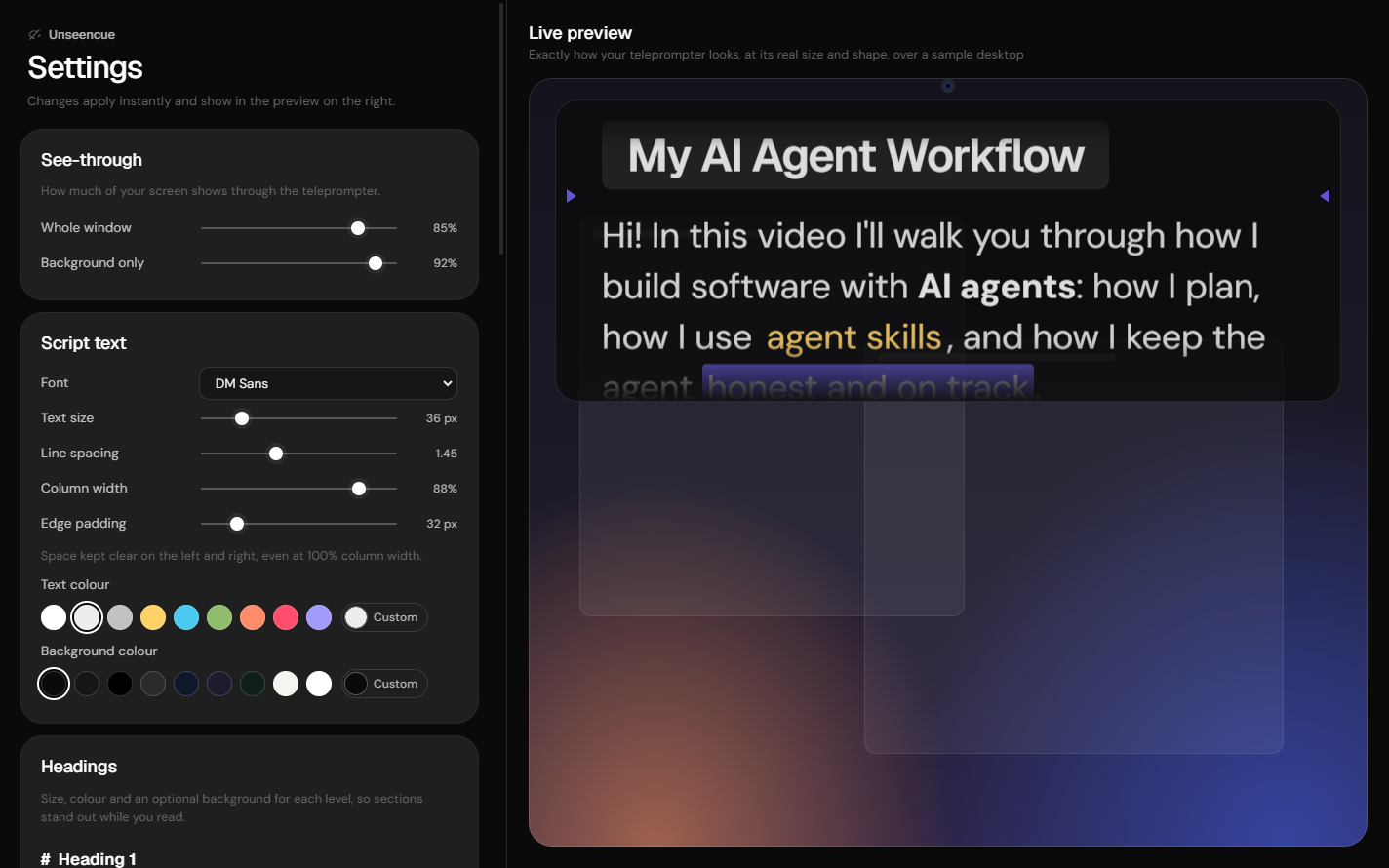
Any installed font, size, spacing, colours, heading styles, reading marker and see-through level, with a live preview.
Run Unseencue.exe. It's portable, so there's nothing to install. It appears at the top-centre of your screen, under the webcam.
Click Paste or Upload, type in the editor, or drag a file onto the window. Use headings and colours to mark sections and cues.
A countdown runs, then the script scrolls at your speed. Or let voice follow pace it for you.
Start OBS, Zoom, Meet or Teams as usual. Your script stays on your screen and out of the shot.
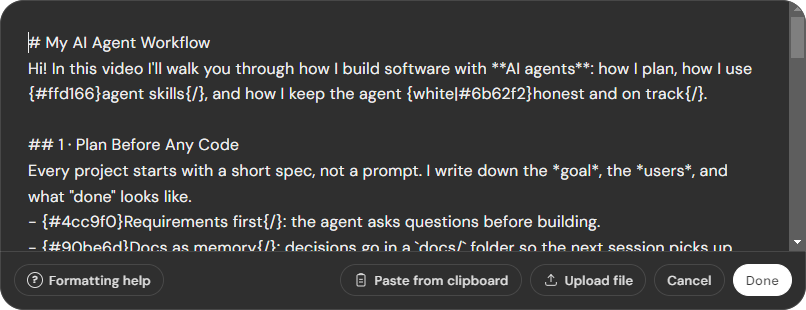
# HeadingBig heading for each part of your video{red}word{/}Colour a word you want to punch{black|#ffd166}CUE{/}Highlight a cue you mustn't miss> CUE: smile hereA stage note in a small box, not a line to read---A break where you pauseUnseencue is for your own videos and presentations: tutorials, demos, walkthroughs, course lessons, and keeping your own talking points in front of you when notes are allowed.
Please don't use it in job interviews, coding assessments, exams, certifications, or anywhere you're expected to answer without notes or where hidden help would mislead the people evaluating you. That's dishonest and unfair to everyone else. I don't endorse it, and it isn't what this project is for.
Free, open source (MIT), private and portable. Everything runs on your PC. No account, no tracking.
The app isn't code-signed yet, so Windows SmartScreen may show "Windows protected your PC". Click More info, then Run anyway.
No. When you share your screen, they see whatever is behind the teleprompter. That's for presenting with your own talking points when notes are fine. It is not for interviews, assessments or exams.
No. Please don't. Using hidden notes where you're expected to answer on your own is dishonest, and this project doesn't support it. Unseencue is for recording your own content and presenting.
No, whether you capture the whole display or a single window. Use Settings → Check it's hidden now to see what a recorder captures.
No. It only measures loudness, locally, to decide whether you're talking. Nothing is recorded, stored or sent anywhere.
Windows usually gives a webcam to one app at a time. Choose a virtual camera in Settings → Head follow → Camera. In OBS, click Start Virtual Camera and pick "OBS Virtual Camera". Voice follow and manual scrolling keep working either way.
Not yet. Hiding from capture relies on a Windows feature.
Never. Uploaded files are only read. Edits become an in-app copy.